If you forgot your LEMOON password, you can request a reset link on the web or in the LEMOON mobile app, then create a new password using the link in the email.
Request a reset link on the web
From the LEMOON homepage while signed out.
- Select Login.
- Select Continue with email login.
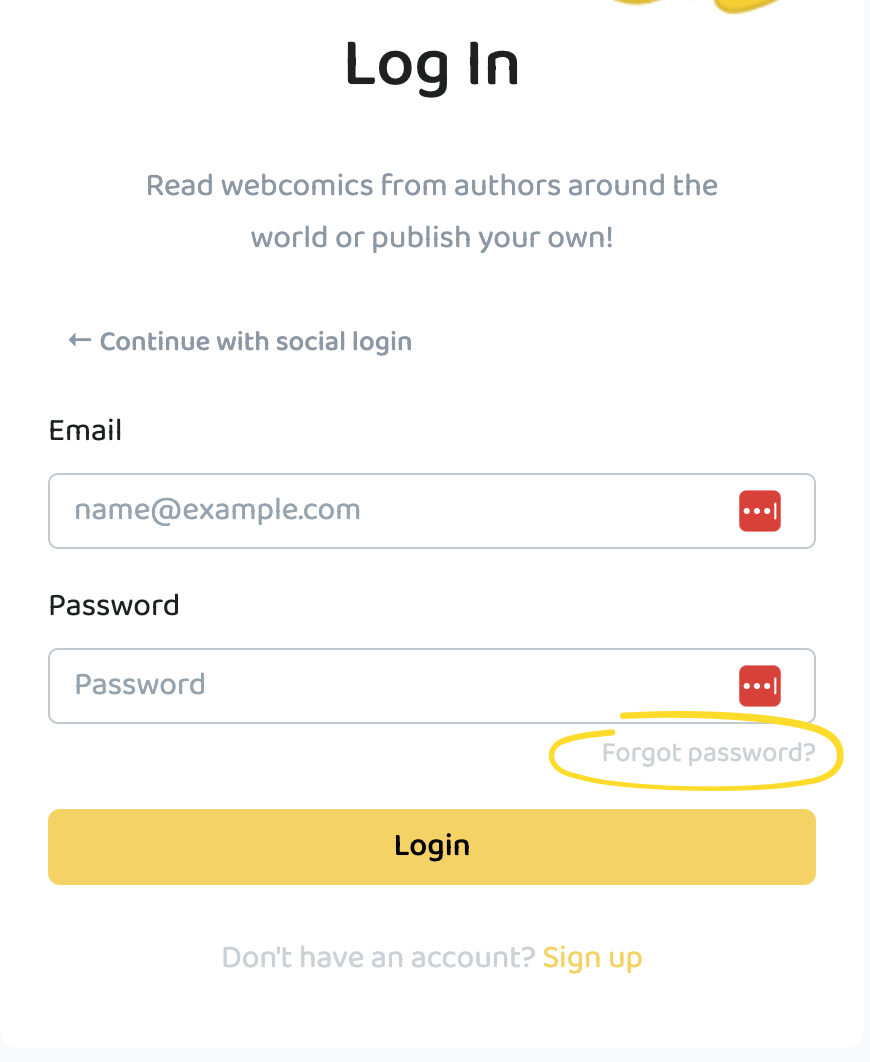
- Select Forgot password? to open the password-reset form.
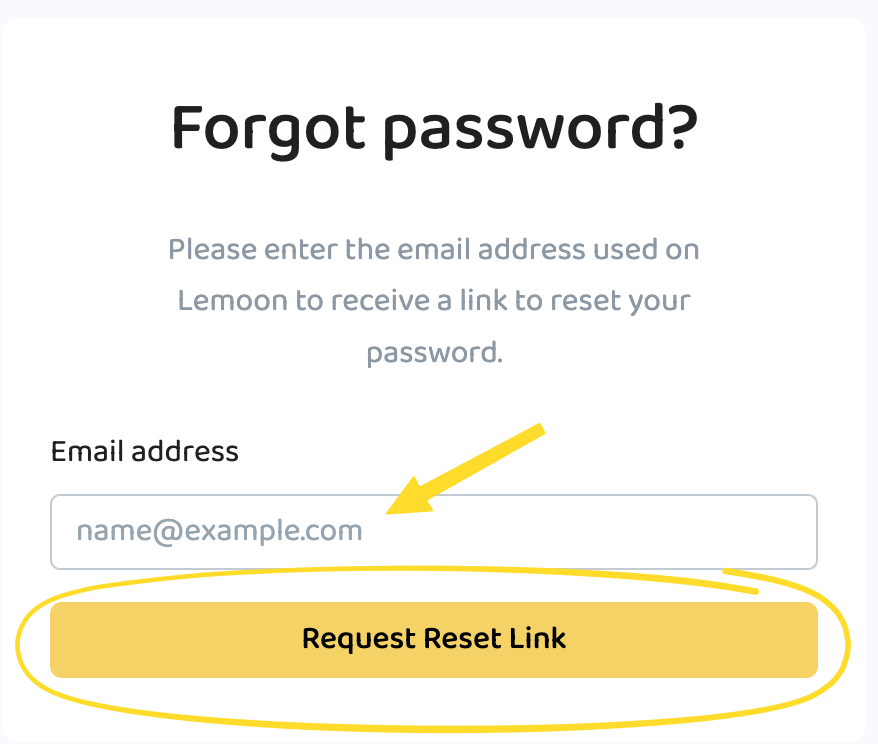
- Enter the email address associated with your account in Email address.
- Select Request Reset Link. If the email is correct the password-reset instructions will be sent to your email.
Request a reset link in the mobile app
These steps are the same on iOS and Android.
- Open the LEMOON mobile app while signed out.
- Select Account in the bottom navigation.
- Select Login.
- Select Continue with email.
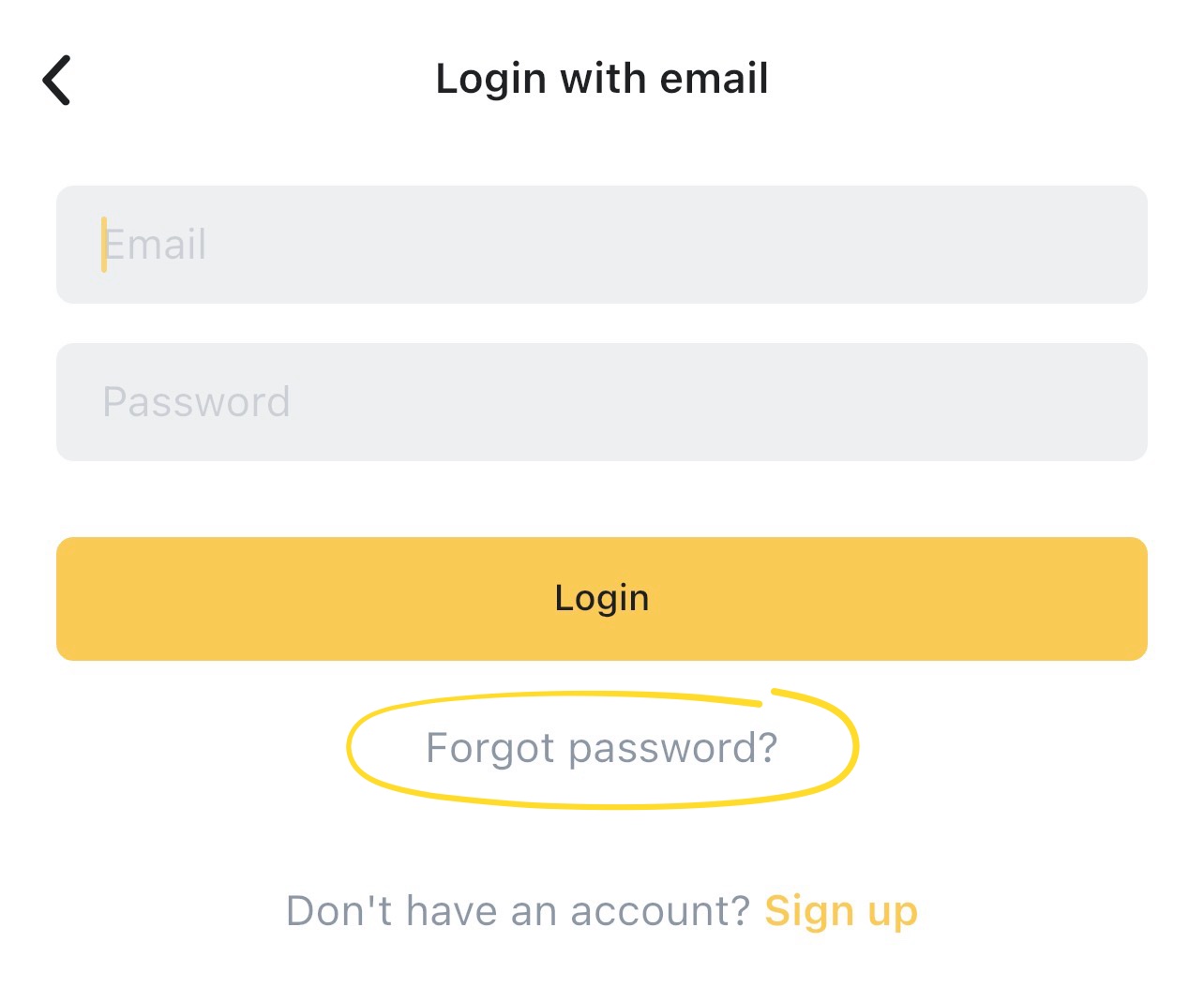
- On Login with email, select Forgot password? to open the password-reset form.
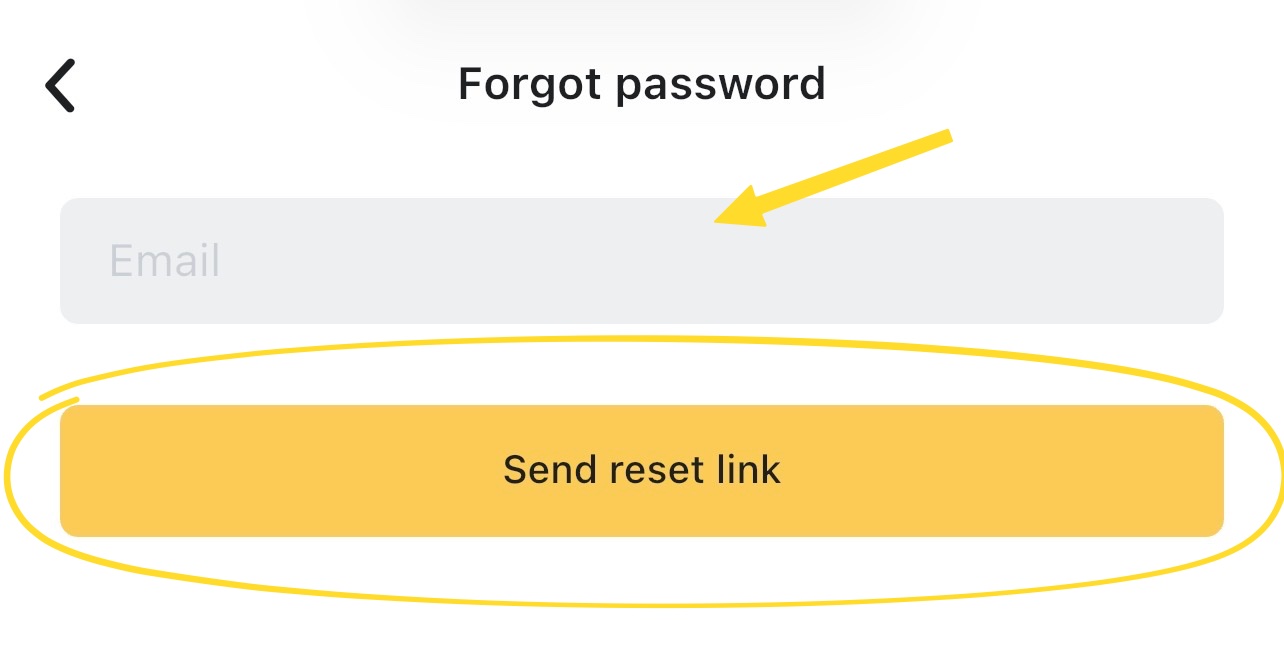
- Enter the email address associated with your account in Email.
- Select Send reset link. If the email is correct the password-reset instructions will be sent to your email.
Create your new password
These steps are completed on the LEMOON web page linked from the reset email, even if you requested the link in the mobile app.
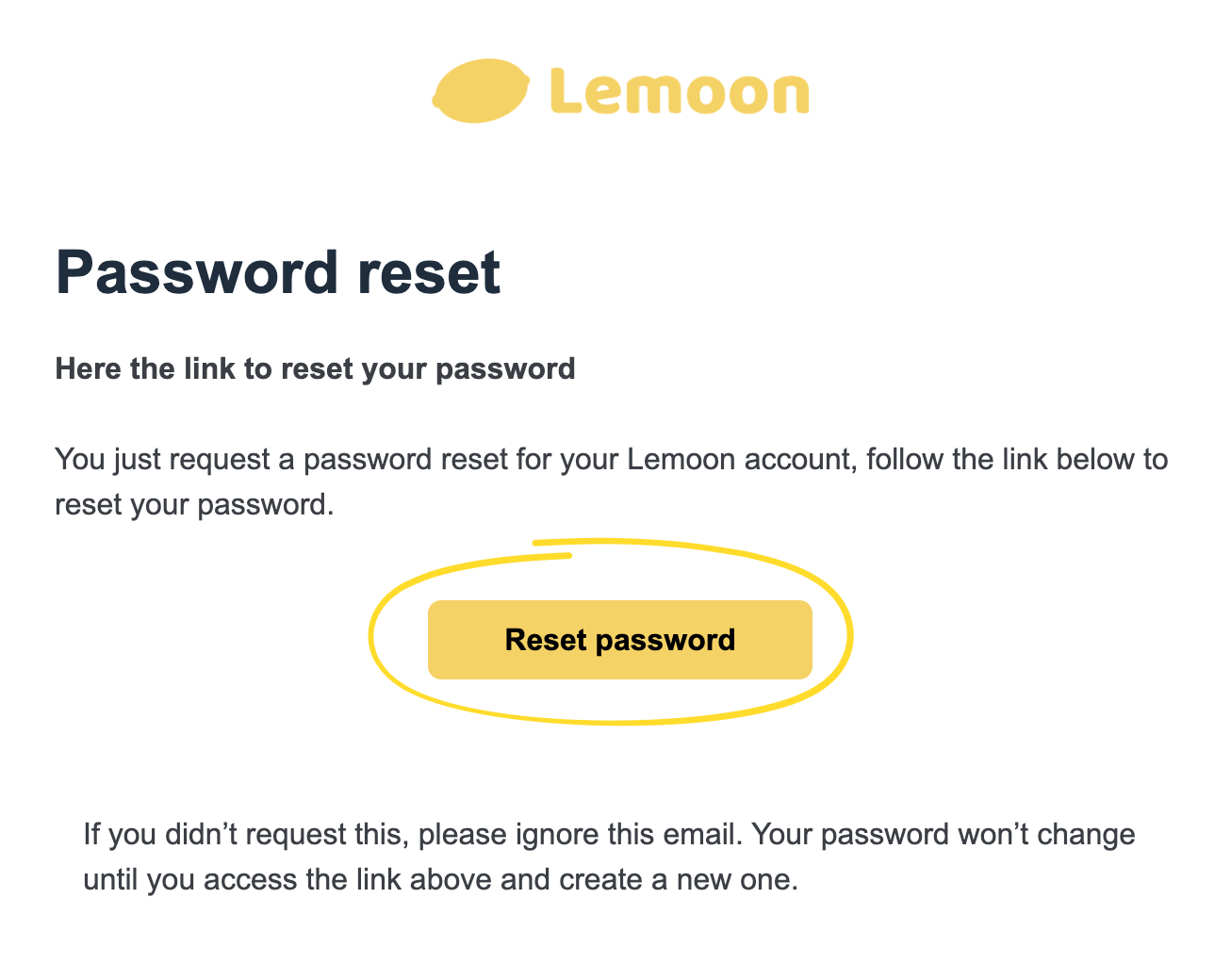
- Open the password-reset email from LEMOON and follow the link in the message.
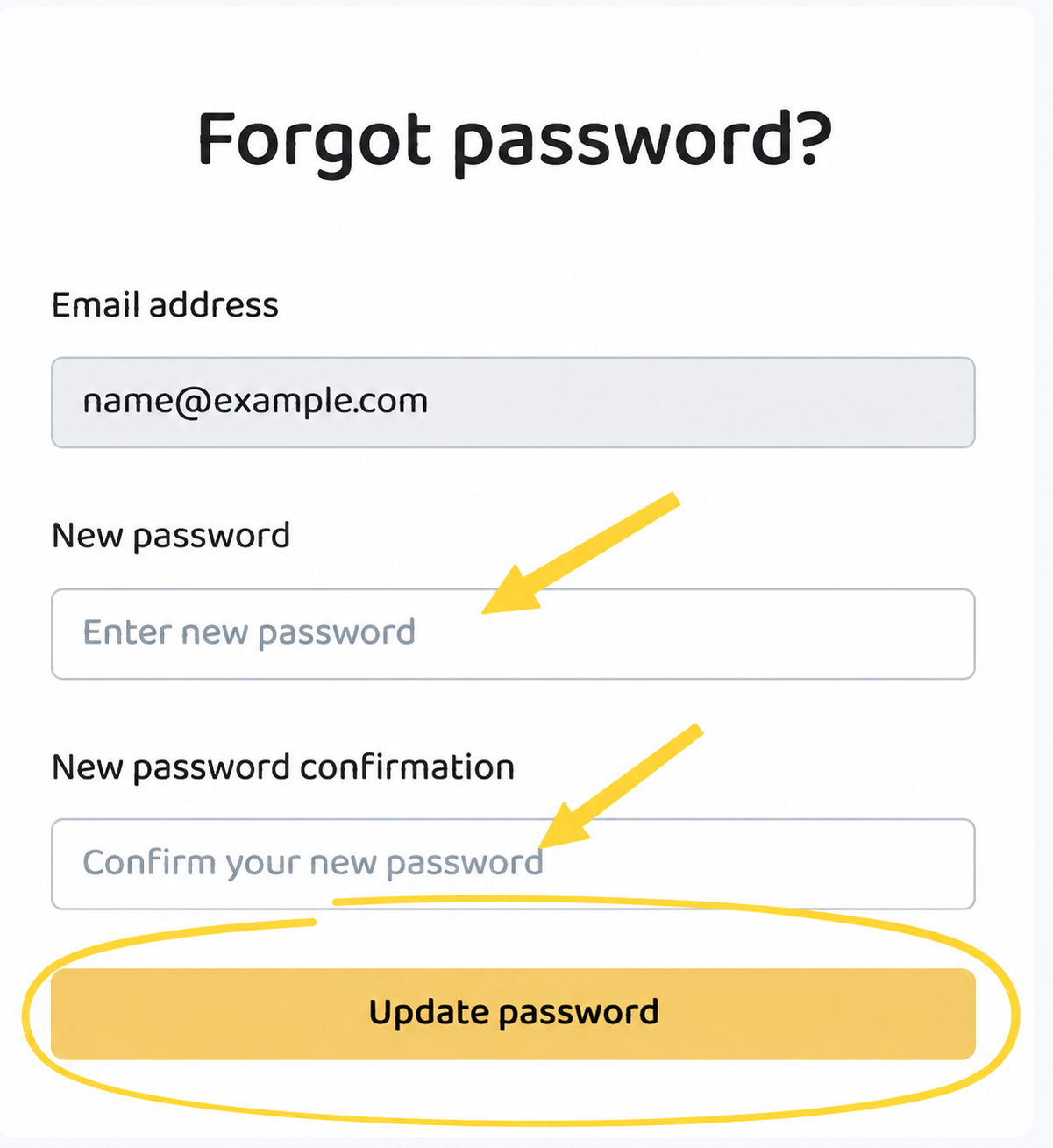
- Review the account email address displayed on the page.
- Enter a new password in New password, following any requirements shown.
- Enter the new password again in New password confirmation.
- Select Update password. LEMOON signs you in and opens the homepage.
If the email or reset link does not work
- Check your spam, junk, and other filtered mail folders.
- Confirm that you entered the email address associated with your LEMOON account. If necessary, return to the password-reset page and request another link with the correct address.
- If LEMOON says the reset link is invalid, request a new link from the password-reset page.
If you still cannot reset your password, contact LEMOON support. Include whether you use the web, iOS, or Android, the email linked to your account, and any error message you saw.