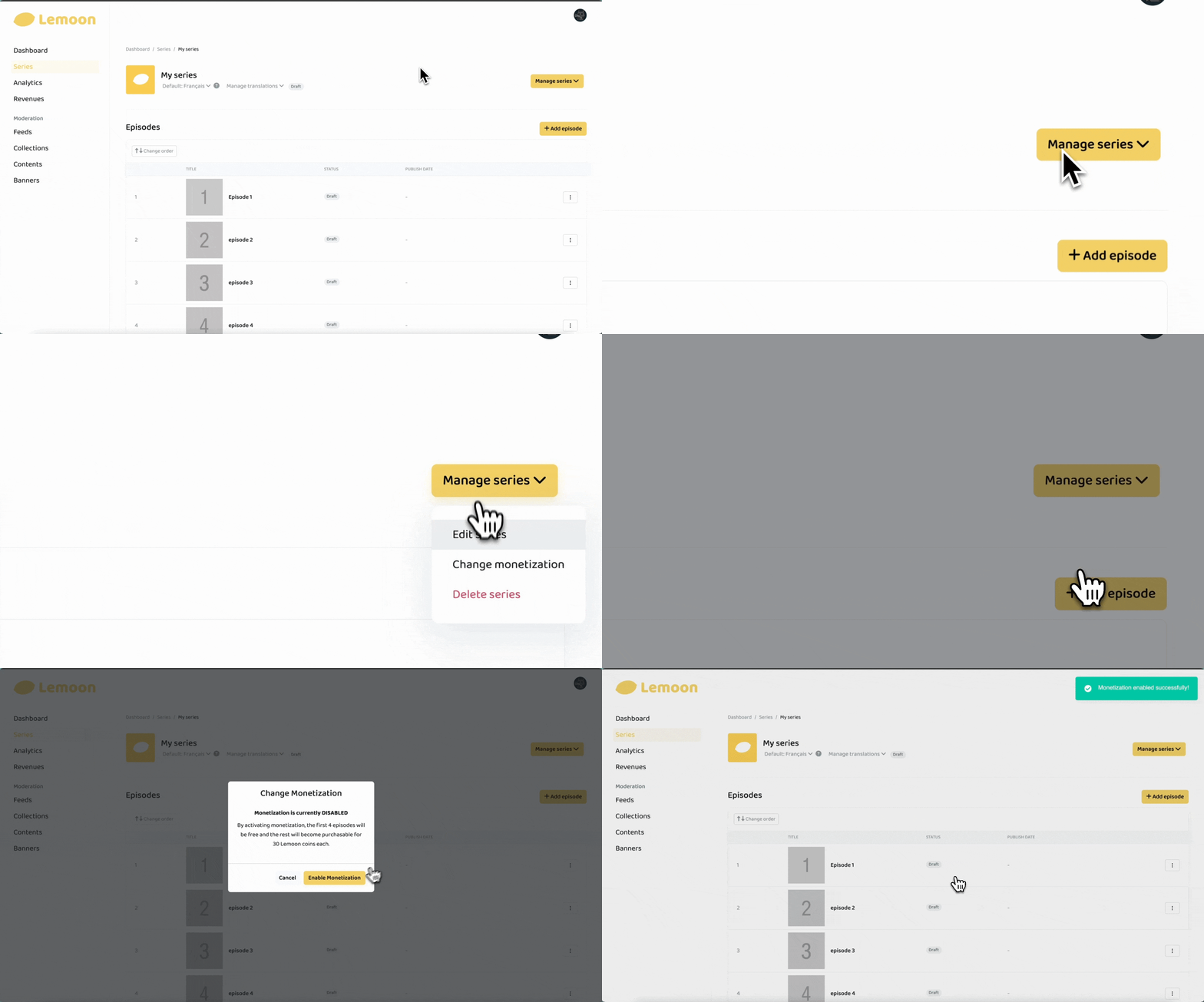
You can enable monetization for a series from the Creator Dashboard on the LEMOON website once your series meet the monetization conditions.
Before you enable monetization
If your series has more than one language version, choose the version you want to monetize. Each language version has its own monetization setting.
You can keep some episodes free
From the episode list, you can choose any later episode and keep it free, so readers can open it without spending Coins.
This lets you mix free and paid episodes in the same series. You can change which episodes are free as your series grows. See How to make a paid episode free for more details.
Enable monetization on the web
- Open your account menu and select Dashboard.
- Select Series.
- Find the series you want to monetize and select Details.
- If the series has multiple language versions, choose the version you want to monetize near the series title.
- Open Manage series, then select Change monetization.
- Select Enable Monetization. Monetization is now enabled successfully!