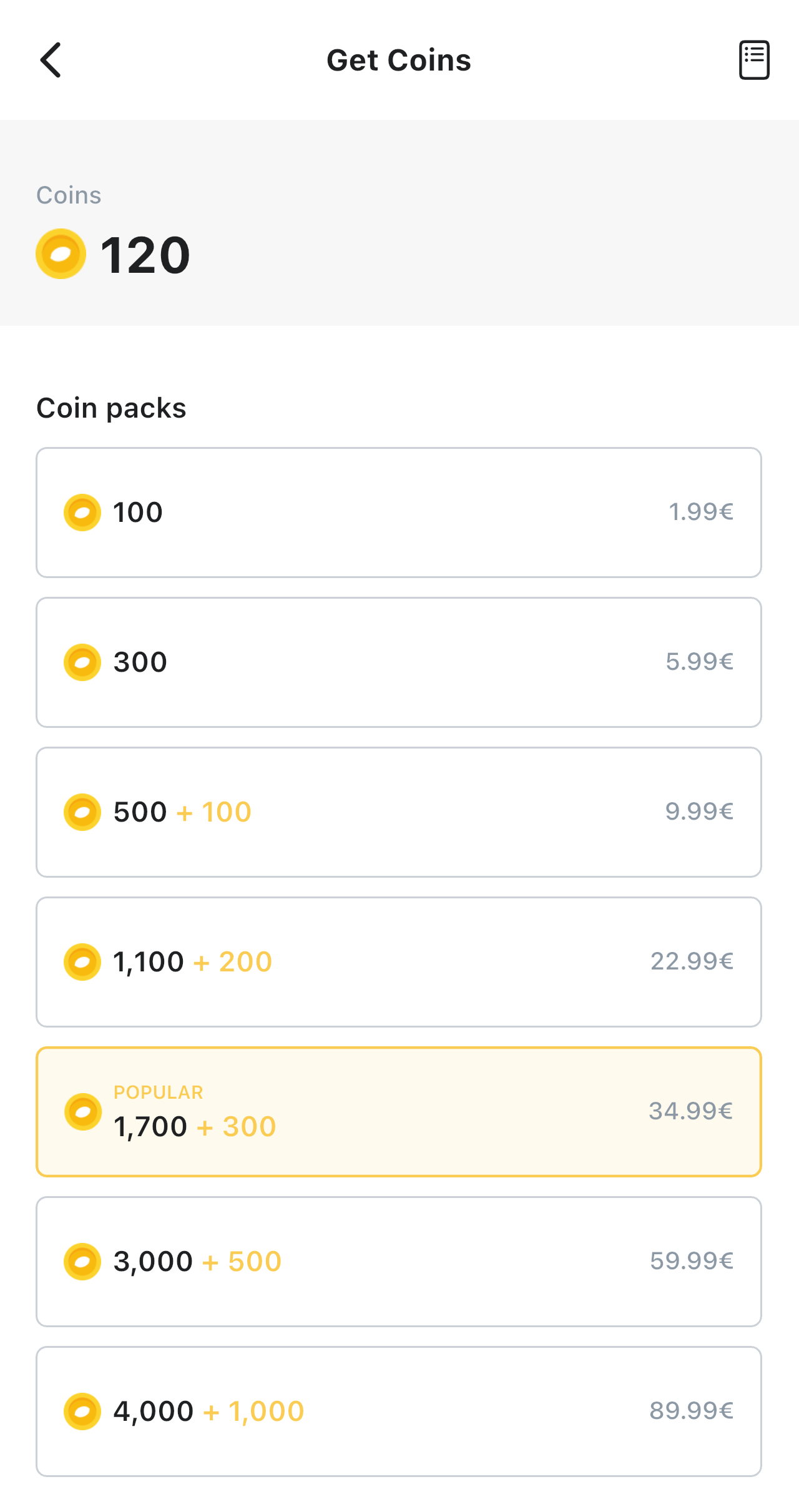
You can purchase Lemoon Coins in the LEMOON mobile app for iOS or Android. Sign in to your account, then open the Coin shop to see the offers available to you.
Coin amounts, bonuses, prices, currencies, and subscription availability can vary. Review the details shown in the app before confirming your purchase.
Purchase Lemoon Coins
- Open the LEMOON mobile app and sign in to your account.
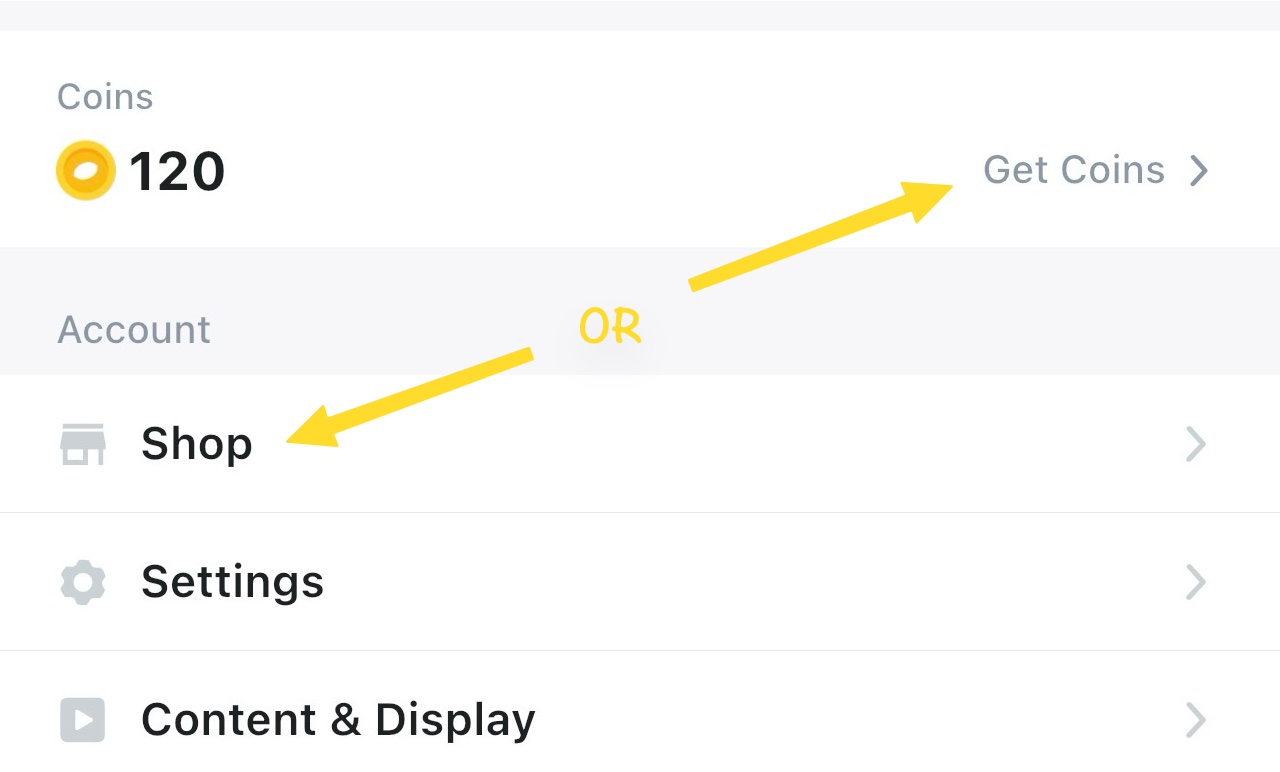
- Select Account in the bottom navigation.
- Under Account, select Shop. You can also click your Coin balance.
- Select the offer you want.
- Follow the Apple App Store or Google Play instructions to review and confirm the purchase.
- After the store completes the transaction your Coin balance updates automatically.

After your purchase
Your updated balance appears on the Get Coins screen and under Account. You can use your Coins to unlock paid episodes. The Coin price of an episode is shown before you confirm an unlock.
If your Coins do not appear
If you completed a purchase but your balance did not update, contact LEMOON Support. Include whether you use iOS or Android, the approximate purchase time, and any error message you saw. Never send your password or full payment-card details.
Purchases are generally final. When Apple or Google processes a transaction, its refund procedures may also apply.